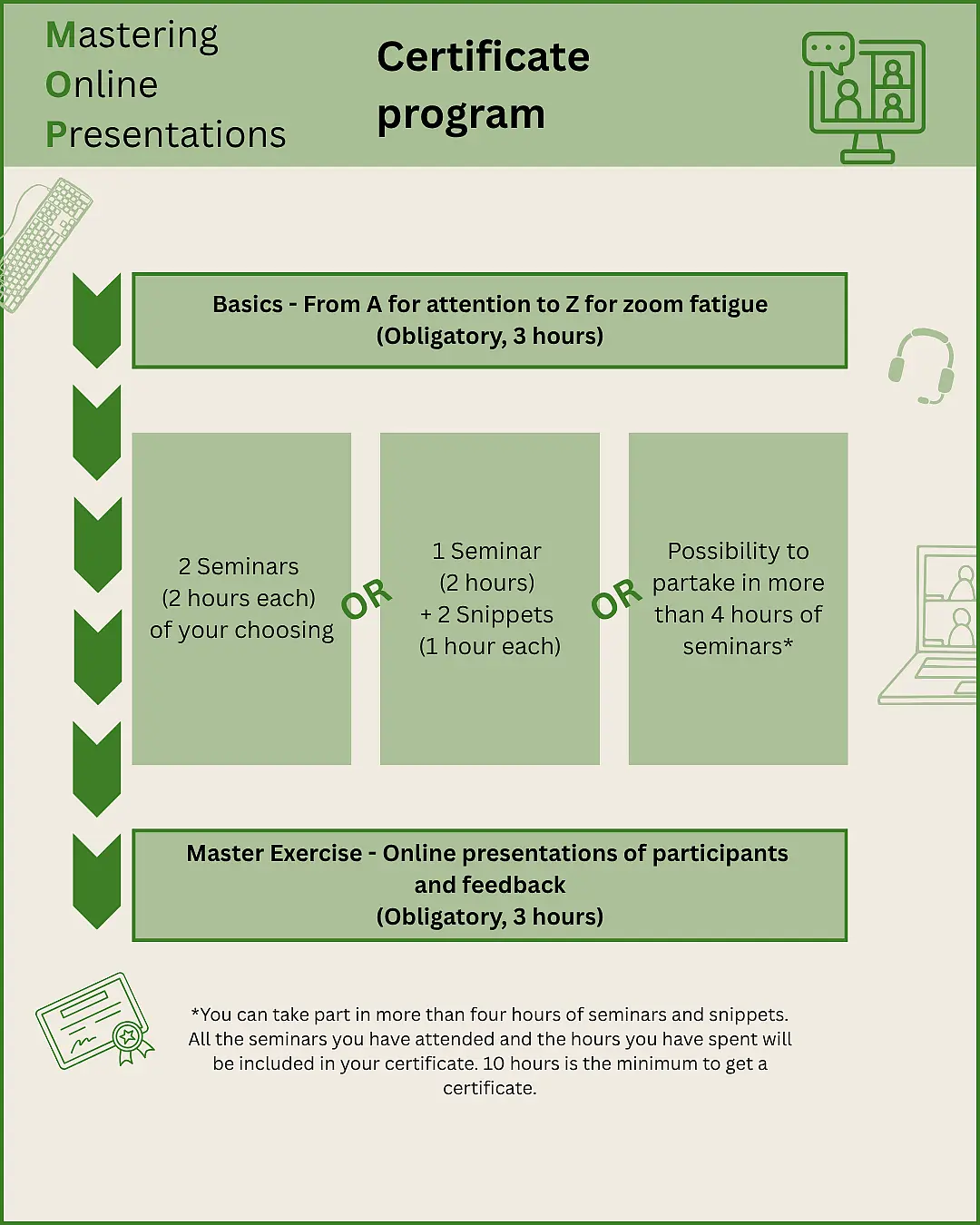
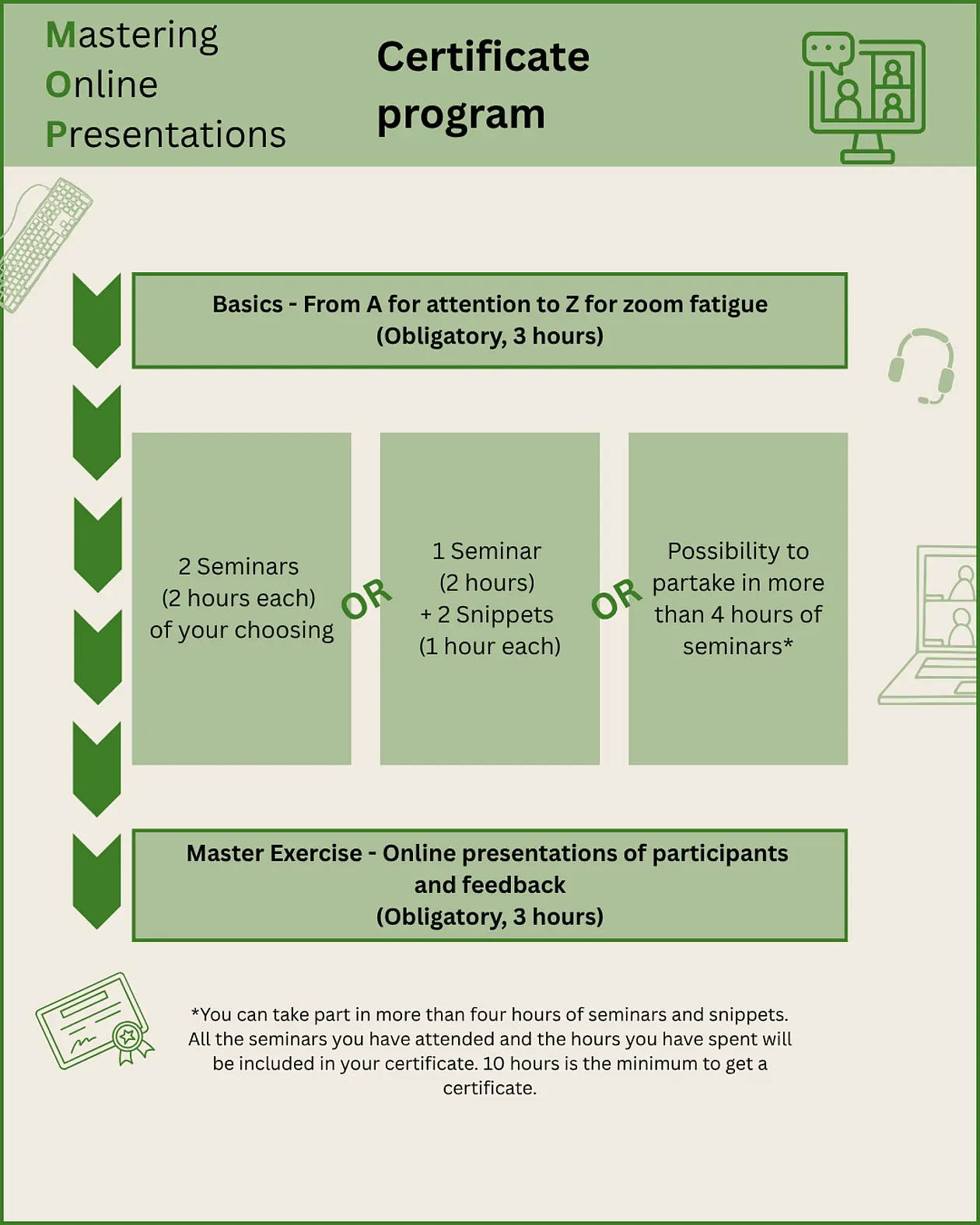
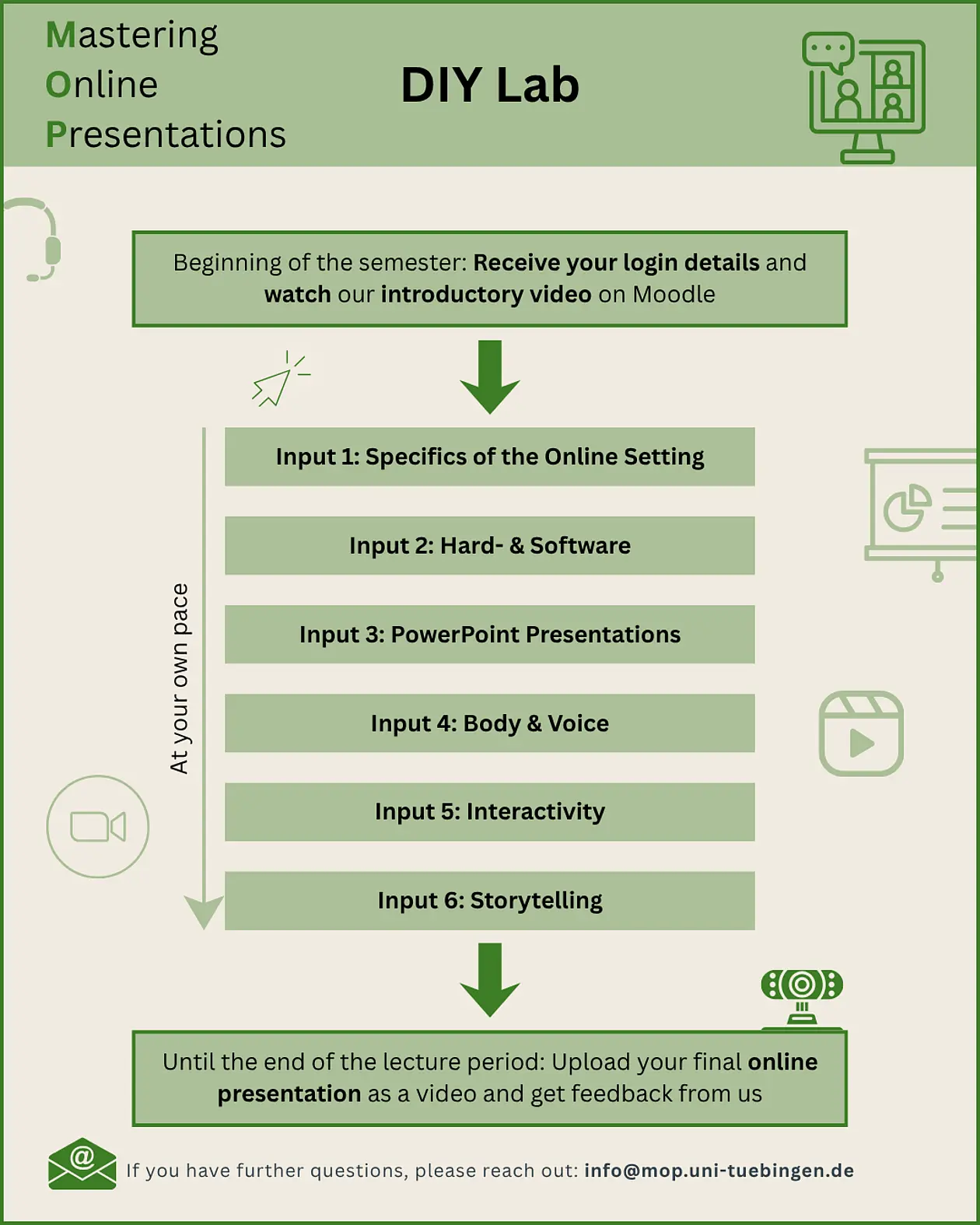
Basics – from A for attention to Z for zoom fatigue
In this seminar we dive into the basics of online presentation. Learn how to turn the disadvantages of online presentations into advantages in order to put your research and content in the best possible (ring) light. Of course, with an appropriate background! But what does appropriate actually mean?
Objective
Learn how to deal with the peculiarities and challenges of online presentations and how to utilise the peculiarities of the digital environment.
Content
- Familiarisation with the differences between face-to-face and online settings
- Knowledge of the right technical equipment and background as well as the use of chat functions and surveys
- Ability to use voice, body language and posture effectively and build rapport with the audience in a virtual environment
Hitting the right note – How do I maximise the impact of my voice?
The voice is the most important body language tool in online presentations – but how do we use it in a targeted manner? That's what we'll explore in this seminar. We will learn about different ways of voice leading, test different techniques and learn how intonation, volume and speech speed influence our effect. And then there is the siren and the chewing.
Objective
Understand the importance of voice in online presentations and unlock the full potential of your own voice.
Content
- The fundamental role of voice in online settings
- Training, warming up, and developing your voice
- Using your voice to create emotions and engage people
Speaking without words – gestures & facial expressions in online presentations
Non-verbal communication is changing drastically in the digital setting. Resistance unknown in the face-to-face setting emerges. How does body language change online? How can you use your gestures and facial expressions correctly online to convey your message in an appealing way? What is appropriate body language in online presentations and what is too much? How does it work naturally? We will answer these questions in this seminar.
Objective
Overview of the obstacles and opportunities in performance in relation to body language in online environments
Content
- Importance of body language for online communication
- Definition of common performance deficiencies in online environments
- Learning the ability to train and consciously use body language
Everything just full of tiles? Using the digital space efficiently
Online, we're talking about one physical space into many other physical spaces. To do this, we use a diffuse digital interstitial space called zoom. What does that do to us? How can all these spaces be connected sensibly and productively? How do you create social transitions that are so often missing in online presentations? That's what this seminar is about. We experience how we can use space and distance in online presentations in a targeted manner to create closeness and better convey our content. Together, we are experimenting with new possibilities for more presence in the digital setting.
Objective
Experience and connect the different spaces in online presentations.
Content
- Distinguishing and managing the various spaces in online settings
- Facilitating – and enduring – social transitions
- Creating and maintaining a sense of closeness
‘Why don't you say something too?’ – Interactivity in online presentations
No more monologues! Online presentations should not and do not have to be monotonous. Even in the case of short lectures, it is possible and useful to involve the audience in the presentation in order to achieve greater involvement and attention. In this seminar, we will discuss how this works and that there are more tools than just surveys.
Objective
Overview of suitable interaction programmes and tools and the appropriate use of these with the aim of audience interaction
Content
- Getting to know various digital interaction tools
- Application of selected interaction tools according to personal preference or suitability for your own online presentations
- Defining the appropriate use of interactivity and corresponding programmes in online settings
Storytelling – when information turns into stories
Online presentations don't have to be a dry string of facts. It's all about micro-storytelling: short, concise narrative moments that are used when concentration drops or as ice-breakers to attract attention. We'll show you how to make complex information more interesting through small, engaging stories. Learn how to use "story snacks" to pick up your audience – right on the screen.
Objective
Incorporate a suitable story into an existing online presentation and prepare to know which aspects you should consider in future online presentations to make the presentation more appealing through storytelling.
Content
- Familiarisation with the elements of stories to be considered in science communication
- Acquaint with different types of stories
- Definition of stories and storytelling and learning of the effects on the audience
- Applying the aspects learnt in relation to your own online presentations with the aim of using storytelling
PowerPoint Upgrade
The requirements for a descriptive, visually appealing slide design shift in the online setting and make adjustments necessary. Simply taking over the PowerPoint slides from the face-to-face setting 1:1 can lead to a failed appearance for several reasons. In this seminar, we will look at these reasons as well as design principles and functions of presentation slides in an online setting, as well as lesser-known features of Microsoft PowerPoint.
Objective
Development and practical training of design principles and criteria for digital presentations in comparison to face-to-face presentations
Content
- Differences between online and face-to-face presentations
- Special features of the design of online presentations in terms of layout, typography, visualisation, colour and key messages
- Introduction to useful software tools and previously unknown applications in PowerPoint
Zoom and hardware – a look beyond the horizon
Zoom is a frequently used tool throughout the university, in teaching as well as in meetings to conduct online presentations. In this seminar, we will look at more than just the classic application scenarios: How can I set subtitles or achieve audience participation using Zoom-internal means? In this seminar, you will also learn more about the necessary hardware, sensible settings and technical tricks to take your online presentations to the next level.
Objective
Overview of useful hardware, as well as familiarisation with new and deepening of known applications of Zoom to enable more creative and interactive online presentations
Content
- Overview of various Zoom tools with a focus on lesser-known applications and efficient use
- Introduction to suitable hardware
- Incorporating the content learnt into your own online presentation(s)
Two intelligences in one online presentation?
More and more often, you hear the phrase "AI is taking over the world". But does it also take over the online presentation? In this seminar we will deal with how much artificial intelligence can help us with our online presentation and for which aspects it is better to think for yourself.
Objective
Learn about meaningful applications of artificial intelligence in online presentations and distinguish them from ineffective ones.
Content
- Explore various AI tools that can support online presentations
- Learn and practice the proper use of AI
- Create a short presentation with the help of AI
Master Tutorial
The certificate course concludes with the Master's exercise. Here you have the opportunity to present an online presentation of your choice in front of the other course participants. There will be the opportunity to ask final questions and to enable the exchange and feedback among the seminar participants. There is no additional input in the master exercise. Participants should benefit from everyone's feedback and be able to apply the seminar topics.
Objective
To apply the content learnt in previous seminars of the certificate course by presenting your own online presentation
Content
- Individual presentation of your own online presentation, considering the content of previous seminars
- Receive feedback from the seminar leader and other seminar participants
- Opportunity to answer open questions and benefit from the questions of other seminar participants
Snippets
Me as an expert - online?
One hundred people in the hall, a stage in front, a lectern on top and a speaker behind it – with a large screen behind him. It is clear to everyone in the audience who is the expert here. And online? 101 tiles, all the same size. No stage, no podium and the presentation fades out everything else. How are you supposed to represent your expert status here? By concentrating on the channels that you also have in the digital world. In this seminar, we will discuss exactly what these are and what other options there are to present yourself as an expert in an authentic and trustworthy way.
Objective
Learn how to present yourself as an expert in a digital environment and understand the significance of expert status in online presentations.
Content
- Understand how expertise is perceived
- Differences between in-person and online presentations, with a focus on how expertise is perceived and conveyed
- Strategies and methods to establish yourself as an expert
OBS – Open Broadcaster Software
Forget about boring standard tiles! With the free software OBS Studio, you can turn your computer into a small control room. Overlay the logo and name in your tile, combine camera, images and web pages directly into your video image. In our seminar for beginners, you will learn these and other techniques with which you can immediately develop a more professional effect.
Objective
To familiarise participants with the OBS software and prepare them to use OBS practically and independently in future online presentations
Content
- Familiarisation with the OBS user interface application of the system through targeted instruction
- Practical exercise and application of OBS and presentation of application scenarios