Zentrum für Datenverarbeitung (ZDV) (data center)

Use of the bwFileStorage

The Institute for Technology of Karlsruhe (KIT) provides a central data storage, the bwFileStorage. Universities can access this storage with the protocols SCP, SFTP, SSH and HTTP and increase their storage requirements quickly, when for example unexpected storage is needed. Currently working with it is for free. But it can change in the future.

Apply for an access authorization for the registration server

  1. First you need fullfill the requirements for access. For that follow the instructions on requirements for access.

Authenticate on the registration server

  1. Clickhttps://bwidm.scc.kit.edu/
  2. Choose your institution
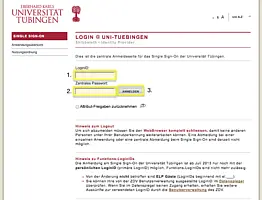
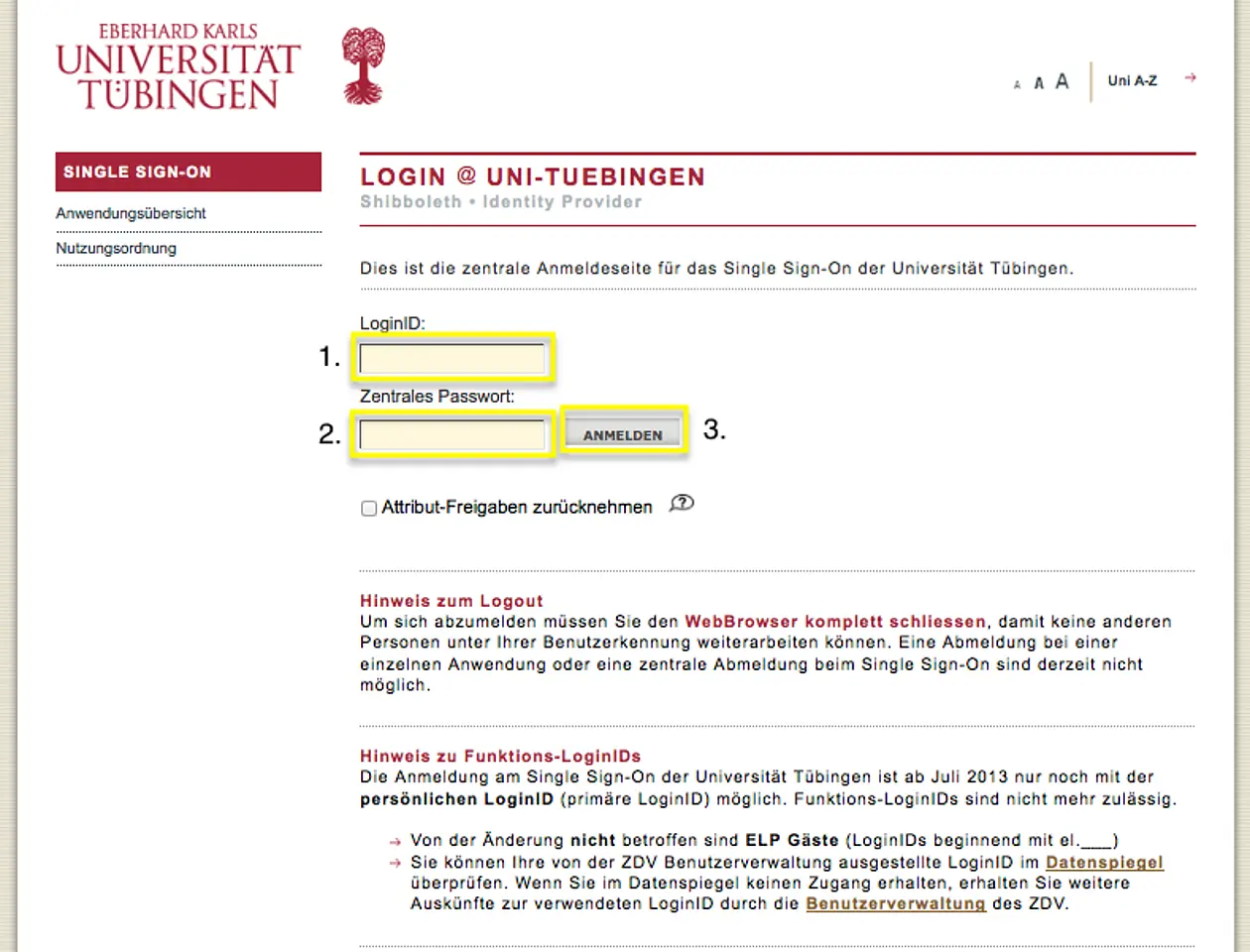
  3. Click "Fortfahren" you will be redirected to the Shibboleth-Login of Tübingen
  1. On the "Single Sign-On" page input your ZDV-Login-ID and your central password.

Apply for a service account for bwFileStorage

Thereby you can use the services you need to registrate for each seprately.

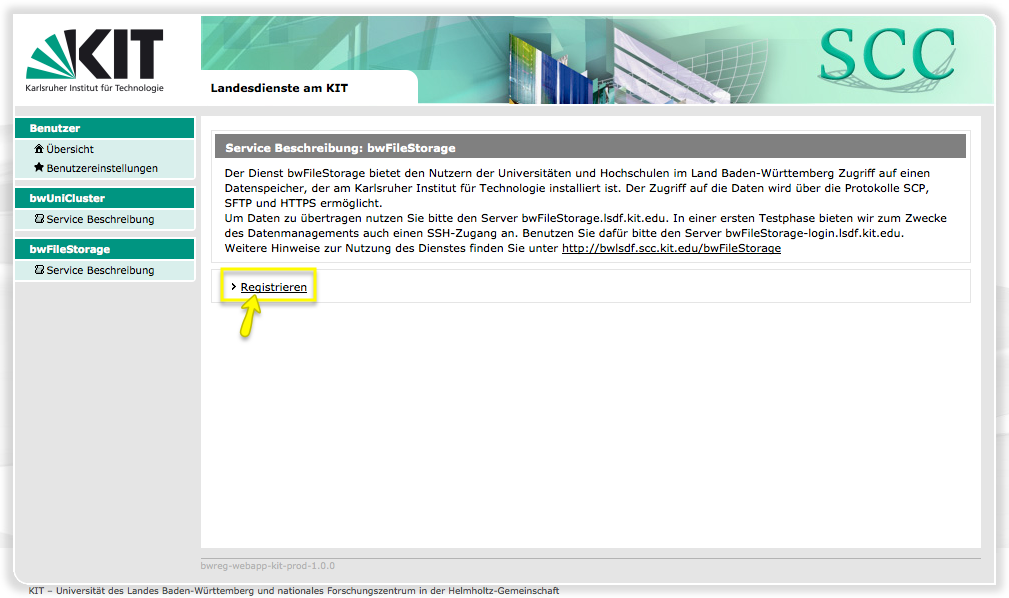
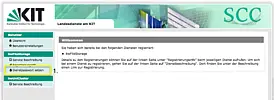
  1. In the left menu, click the "bwFileStorage" item
  2. In the right textfield click on the "Registrieren" link.
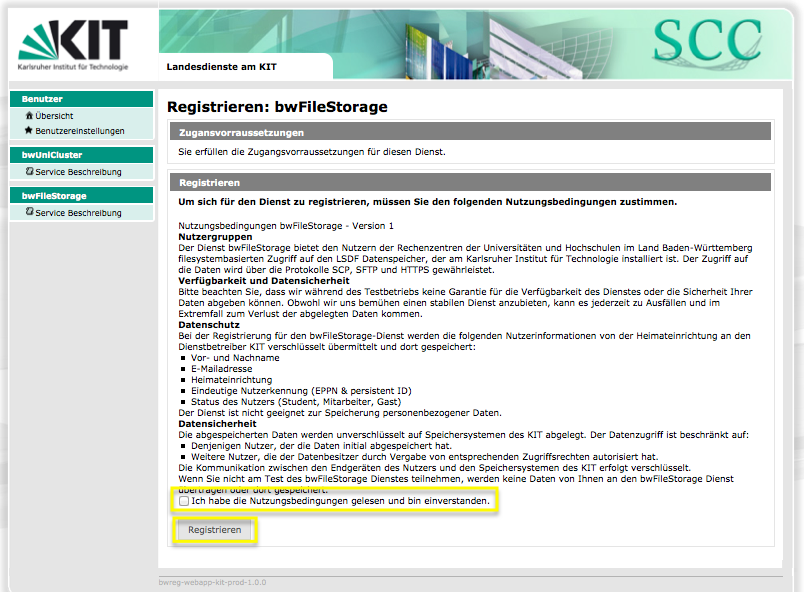
  3. Accept the terms of use, checking "Ich habe die Nutzungsbedingungen gelesen und bin einverstanden".
  4. Click the "Registrieren" button.

Set a service password for the bwFileStorage service

After you registrated for the bwFileStorage service, you need a service password. Please notice, that it may not be identical with your ZDV central password.

The following steps you set an service password:

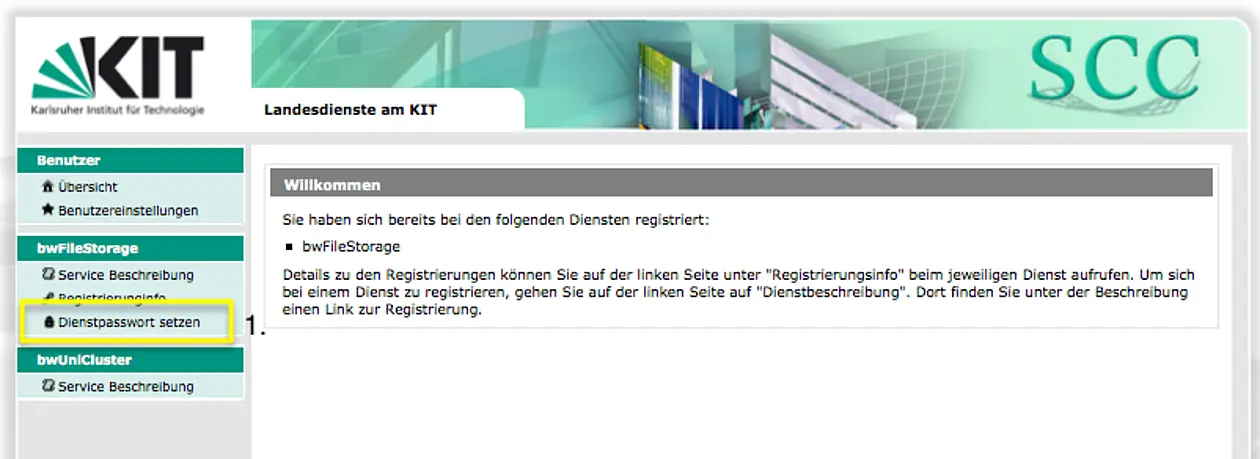
  1. In the left menu, click "bwFileStorage", then click the "Dienstpasswort setzen" menu item.
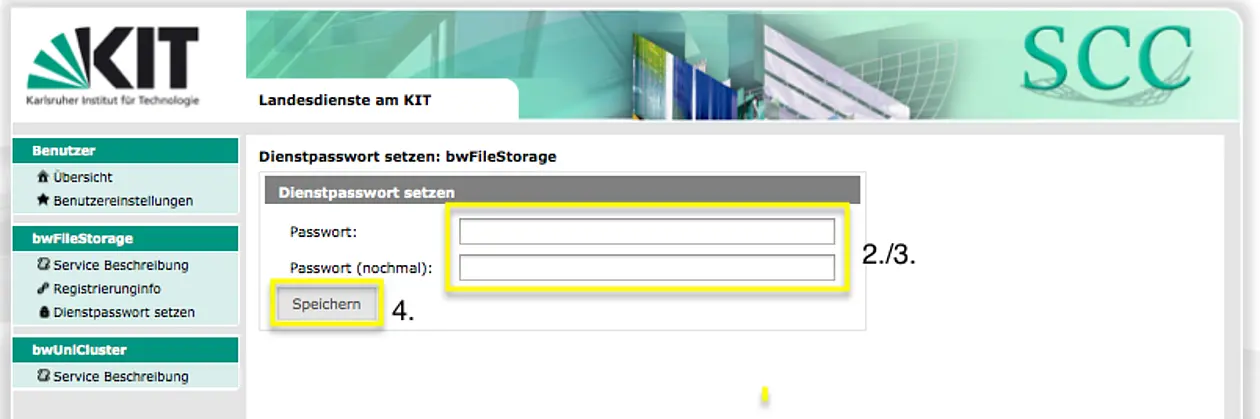
  1. Choose a password with at least one capital letter and a one number. Your password have to be at least six characters long.
  2. Confirm your new password inserting it once again.
  3. Click "Speichern"

Using bwFileStorage

The storage can be used with the SCP, SSH, SFTP and HTTPS protocols. With SCP and SFTP you can exchange Data between a Client and the bwFileStorage-Server. For the data management a SSH login on the Front-End and a Webfrontend via HTTPS is available.

In the following commands you need to replace ""ZDV-Login-ID"" with your ZDV-Login-ID of Tübingen. You will be asked for your service password and never for your central password of Tübingen .

Secure Copy Protocol (SCP)

Write the following command in a terminal, substituting "myfile" with the file you want to upload. You will be asked for your service password.


scp ~/myfile tu_ZDV-Login-ID@bwFileStorage.lsdf.kit.edu:~/mydir


Secure Shell (SSH)

With the SSH protocol you can manage your data.


ssh tu_ZDV-Login-ID@bwFileStorage-login.lsdf.kit.edu


HyperText Transfer Protocol Secure (HTTPS)

  1. Click on https://bwsonas.lsdf.kit.edu/
  2. Login with your tu_ZDV-Login-ID using your service password.

Further informationen you can find here:

https://bwsonas.lsdf.kit.edu/dokumentation/Nutzerhandbuch.pdf